
Isn’t it fascinating how easy it is to connect many devices to our laptops and smartphones, charge them, and also transfer data and lightning-fast speeds? It’s even more fascinating when you realize how this is commonly achieved through USB. In this blog, you'll learn the basics of USB, with a focus on the two most popular forms of USB, USB-A and USB-C, their differences, advantages and disadvantages, and applications in industrial embedded systems.
USB stands for...
To break it down, USB is an acronym for Universal Serial Bus. But what does that really mean? The U in USB stands for Universal and refers to universally accepted standards for the physical and operational standards to connect, power, and transfer data between hosts and devices. USB was designed to streamline connections between computers and peripherals, such as mice, keyboards, gaming consoles, printers, and cameras. The S in USB stands for Serial, the fashion in which data is transferred, in a serial manner where it sends one data bit at a time. The B in USB stands for BUS, a term for a wire or collection of wires that carries electronic data and is the location on the computer where data enters and leaves the device. In short, a USB is a universal standard in the specifications of the construction and operation of a connector to link various devices in an electronic system.
What are the main advantages of USB?
What is the difference between USB 2.0 and 3.0?
Not only has the appearance of USB changed, but the data transfer speeds have evolved over time. This is marked by each “Generation” that is released for USBs. Besides the differences in transfer speed and interfaces across USB2.0 and 3.0, the latest generation called USB4.0 boasts additional benefits that were not available with prior generations of USB. The numbers and decimals do get confusing and may be a little hard to remember, which may be solved by using their alternate names instead. Check out the table below for a comprehensive comparison between USB generations and their related features.
Optional Features for USB 4.0 and USB Type-C
The latest USB Generation is USB 4.0, which has the highest transfer speed of 40Gbps, and comes with a host of optional features. USB Gen 4.0. is only compatible with the USB-C interface, and is attractive to buyers for it's additional customizable features, backwards compatibility (meaning it is compatible with older version components) and up to 240 watts of power supply. Optional features of USB 4.0 include:
- PCIe Tunneling (transferring PCIe data securely from one device to another along a USB connection)
- Alternate Mode (an add-on chip to the USB port that converts the signal to something different than USB)
- Thunderbolt Alternate Mode (A connectivity protocol that supports fast data transfer, high video resolution output, and charging at the same time). It‘s important to note that Thunderbolt is a separate protocol from USB, and not all USB-C connectors are compatible with Thunderbolt.
As USB 4.0 was intended for smaller devices, these optional benefits can be reaped but depend on the capability and implementation of your existing hardware. So, if you are powering larger, and more powerful devices, there may be some drawbacks to utilizing USB 4.0 and its optional features, especially when “daisy-chaining”, meaning to connect devices in series. Learn all about the different USB Generations here
What is the difference between USB-A and USB-C?
Now that we’re familiar with what USB really means, its purpose, features and generations, let’s make a quick comparison between USB-A and USB-C.
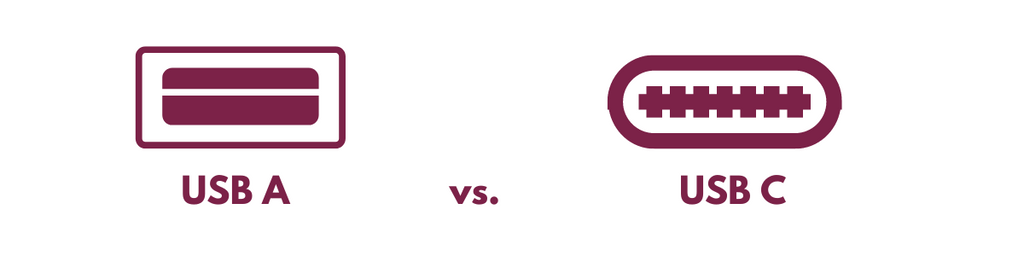
So, USB-A or USB-C?
- Keyboards
- Headsets
- Laptops
- Speakers
- Power Banks
- SATA SSD/HDD Storages
- NVMe SSD Storages
- High-Speed Camera
- USB-C Hub to HDMI, LAN, SD Cards, and USB-A